How It Works

Precision TPLO Planning in 6 Simple Steps

From image upload to surgical plan in minutes, not hours

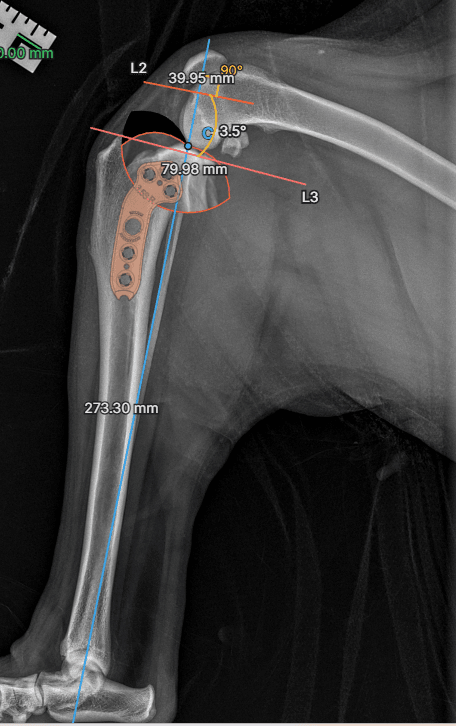
A completed osAlign TPLO plan showing landmarks, the tibial plateau angle, the planned osteotomy, an aligned plate, and millimeter measurements on a lateral stifle radiograph

A finished plan: calibrated image, four landmarks, calculated TPA, osteotomy, and an aligned plate.

01

Upload Your Images

Start by uploading radiographs or importing DICOM files directly

Drag and drop X-ray images
Import DICOM files directly
Automatic image calibration from DICOM metadata
Support for multiple image formats
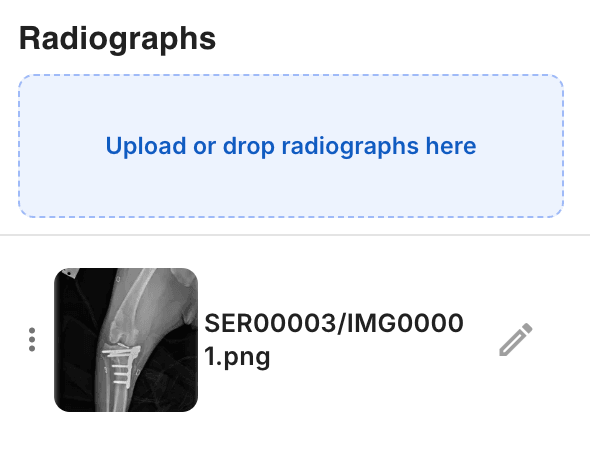
Radiographs panel with an upload-or-drop zone and an uploaded X-ray thumbnail
Drag and drop X-rays or import a DICOM study straight into the case.
02

Calibrate & Set Scale

Ensure accurate measurements by setting the image scale
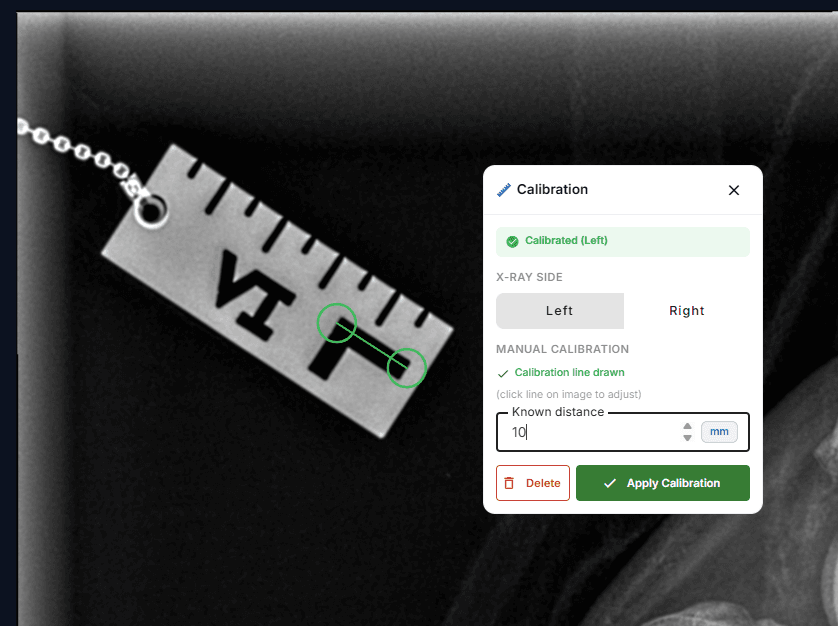
Set known distance for calibration
Automatic DICOM pixel spacing detection
Manual calibration with reference objects
Save calibration settings for future use
Calibration panel with a measured line drawn across a scale marker in the radiograph
Draw a line over a known distance, set the value, and every downstream measurement is accurate.
03

Place Landmarks

Mark anatomical landmarks or let AI detect them automatically
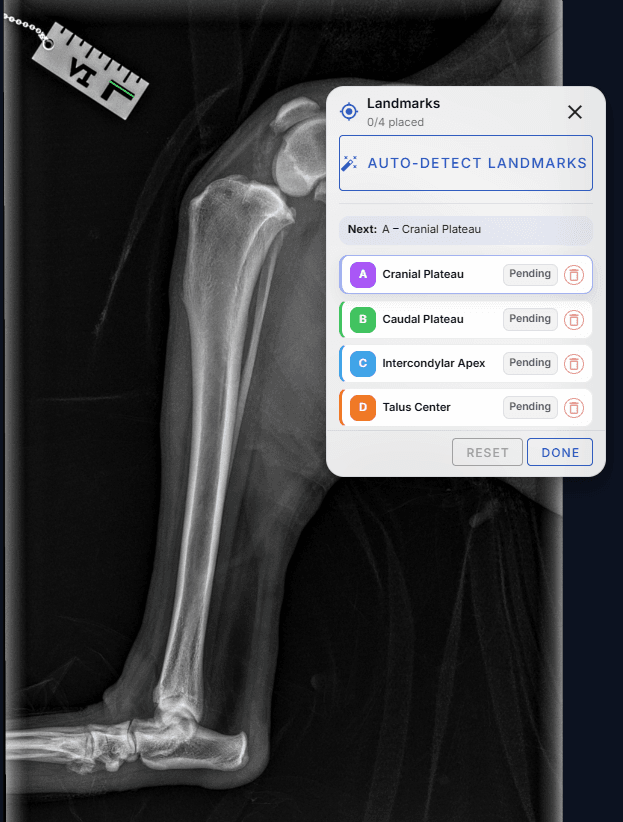
AI-powered landmark detection (Pro+)
Manual landmark placement and adjustment
4 key anatomical points for TPA calculation
Real-time guidance for proper placement
Landmarks panel guiding placement of the four tibial points, highlighting which point comes next
osAlign walks you through each of the four tibial landmarks in order.
04

Calculate TPA

Automatically calculate the Tibial Plateau Angle
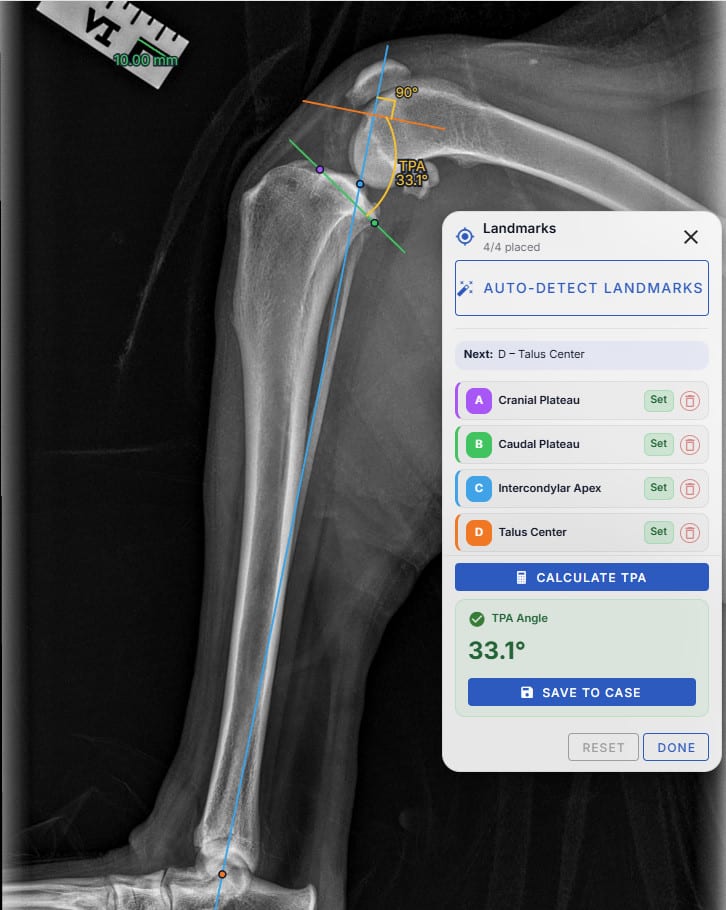
One-click TPA calculation
Automatic perpendicular line generation
Visual angle arc display
Accurate measurements with saved annotations
All four landmarks placed with the tibial plateau angle of 33.1 degrees calculated and displayed
With all four points set, the TPA is calculated and drawn on the image in one click.
05

Plan Your Osteotomy

Use advanced tools to plan the surgical approach
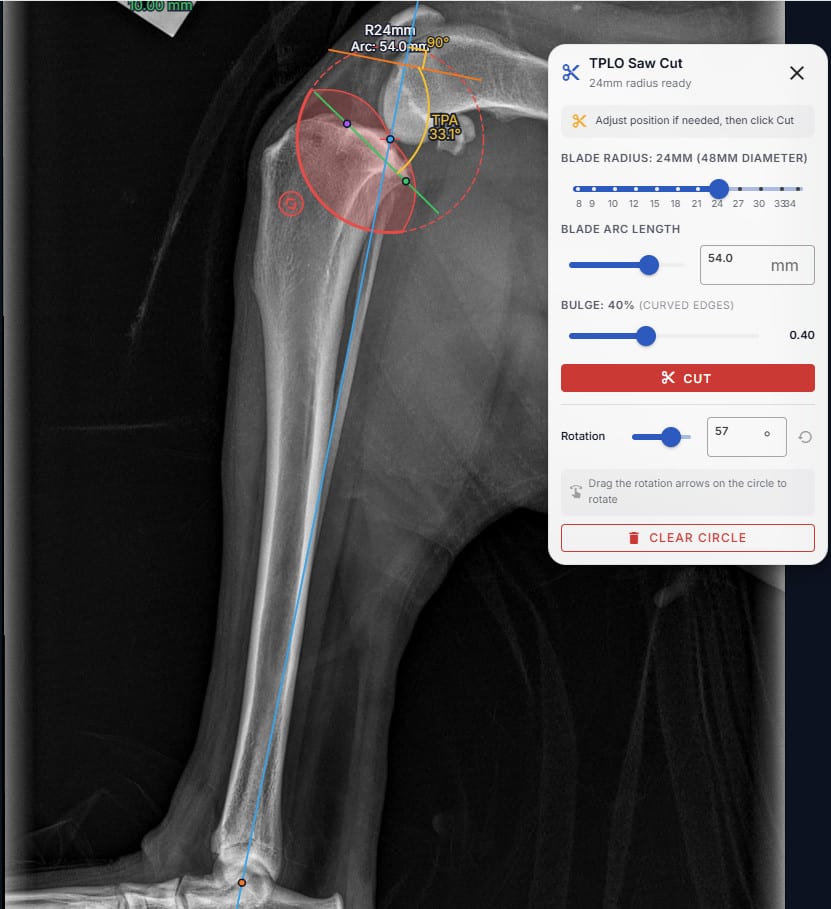
Blade-radius-aware saw cut circle
Curved-edge bulge control to match real blade geometry
Direct-manipulation rotation of the cut segment
Rotated segment renders live with the new plateau angle
Saw cut tool with a blade-radius circle overlaid on the proximal tibia, ready to cut
Dial in blade radius, arc, and rotation, then preview the new plateau angle before you commit.
06

Overlay the Plate

Drop a real plate onto the radiograph and align it like you would on paper
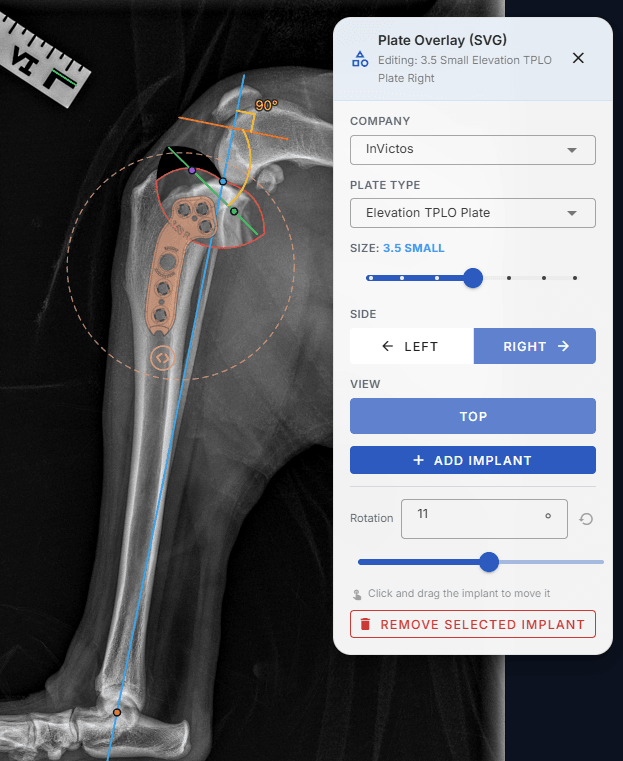
Plate catalog organized by manufacturer
Choose plate type, size, side, and view
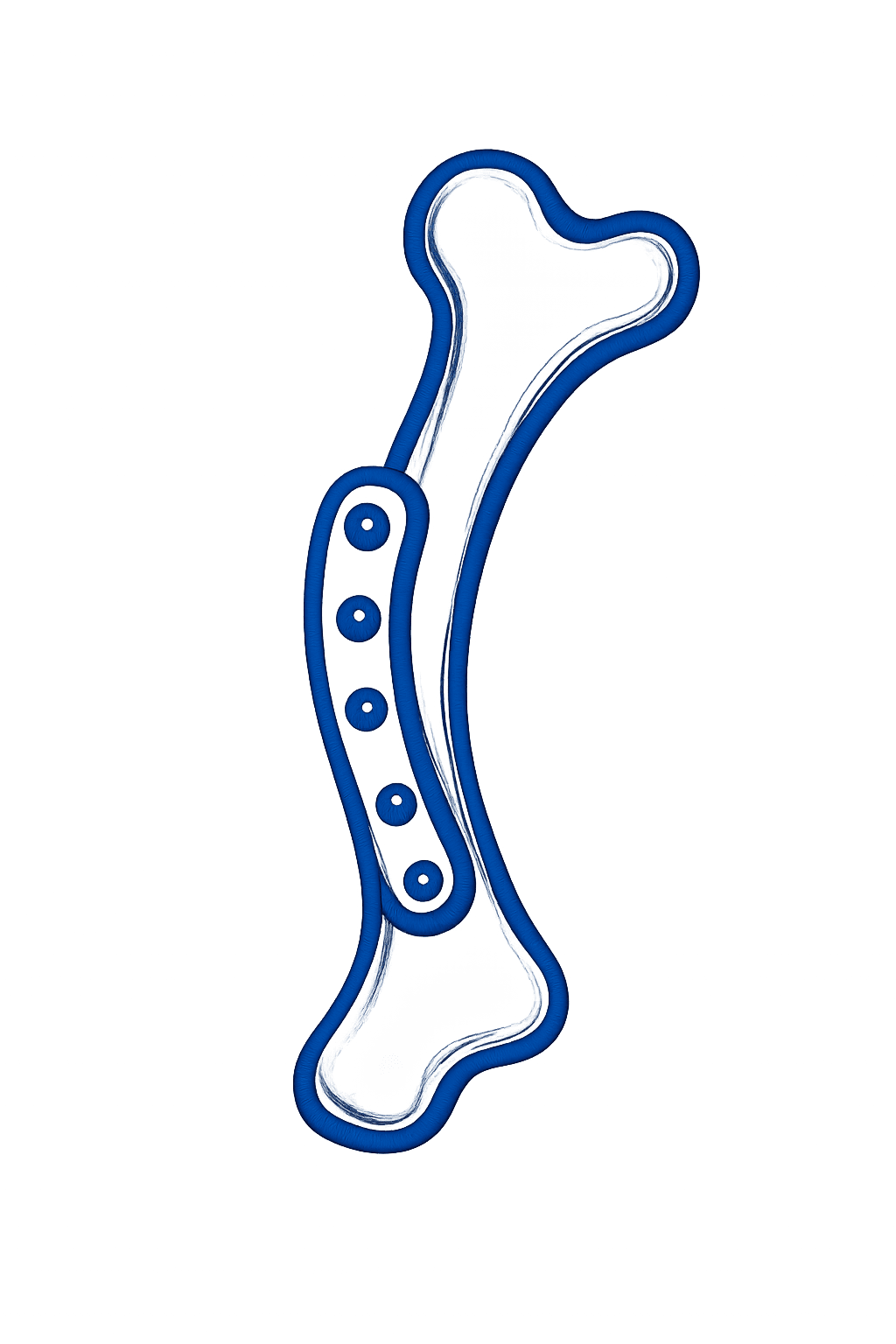
Real SVG plate renderings, not generic rectangles
Export to PDF and share the finished plan with your team
Plate overlay tool with a manufacturer plate SVG aligned on the proximal tibia
Pick the manufacturer and size, then drag and rotate a true-to-geometry plate into place.

Why Veterinarians Choose osAlign

Transform your TPLO surgical planning workflow

Save Time

Reduce planning time from 30+ minutes to under 5 minutes with AI assistance

Improve Accuracy

Precise measurements and AI-guided landmark placement ensure optimal surgical outcomes

Streamline Workflow

Integrated DICOM connection and automatic preplanning eliminate manual steps

Collaborate Easily

Share cases, templates, and reports with your entire surgical team

AI-Powered Planning

Our AI assistant can automatically detect landmarks, calculate angles, and suggest optimal osteotomy placements.
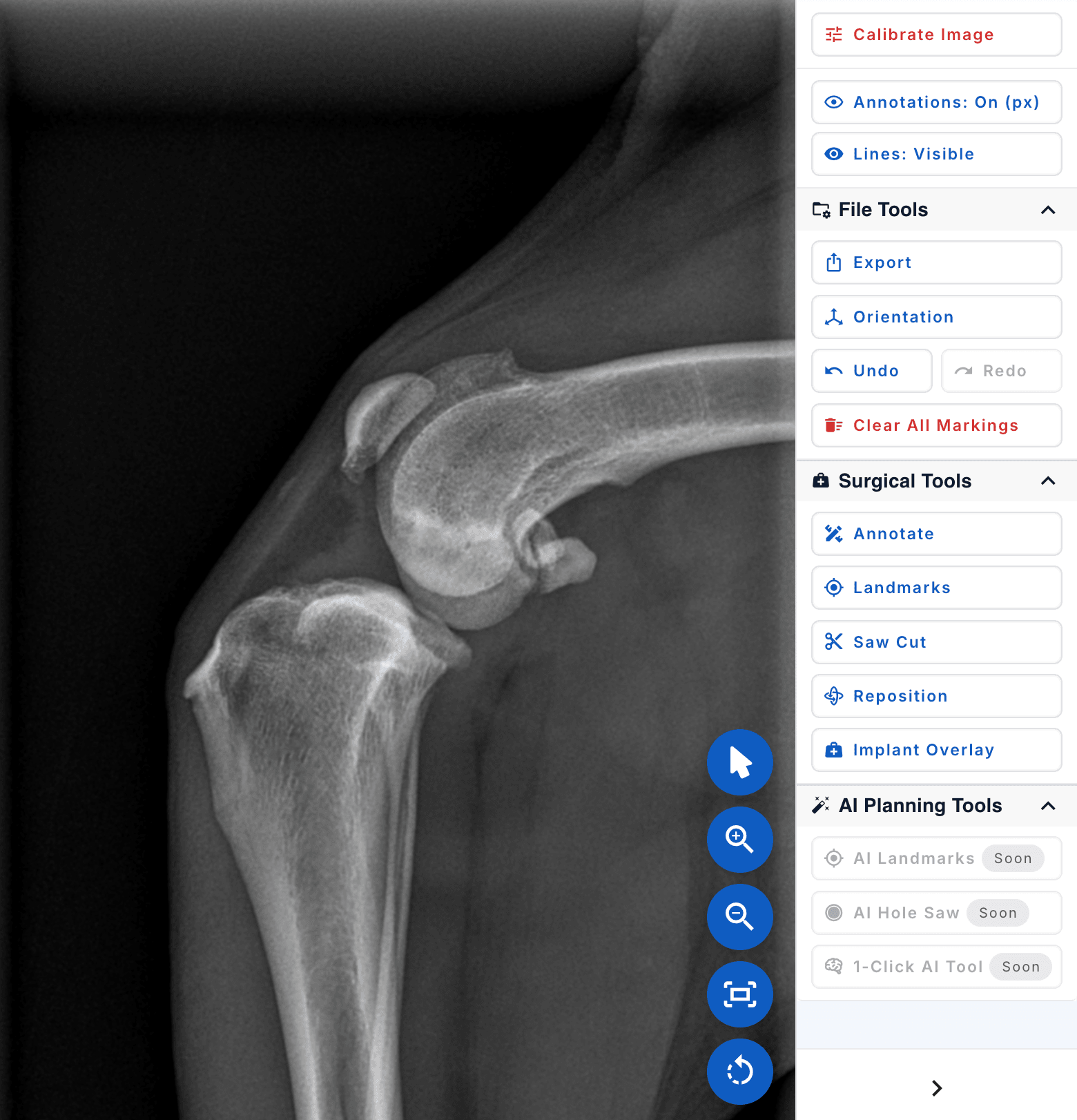
Automatic landmark detection in seconds
AI-guided surgical planning recommendations
Continuous learning from veterinary expert feedback
The osAlign planning workspace tool panel showing Calibrate, Landmarks, Saw Cut, Implant Overlay, and the AI Planning Tools marked Soon

Seamless Integration

Works with your existing systems

DICOM Integration

Connect directly to your hospital systems for seamless image import and workflow automation (Pro & Enterprise)

DICOM Support

Full DICOM file support with automatic metadata extraction and pixel spacing calibration

Cloud Storage

Secure cloud storage with automatic backups and access from any device

The Result

From Plan to Surgery

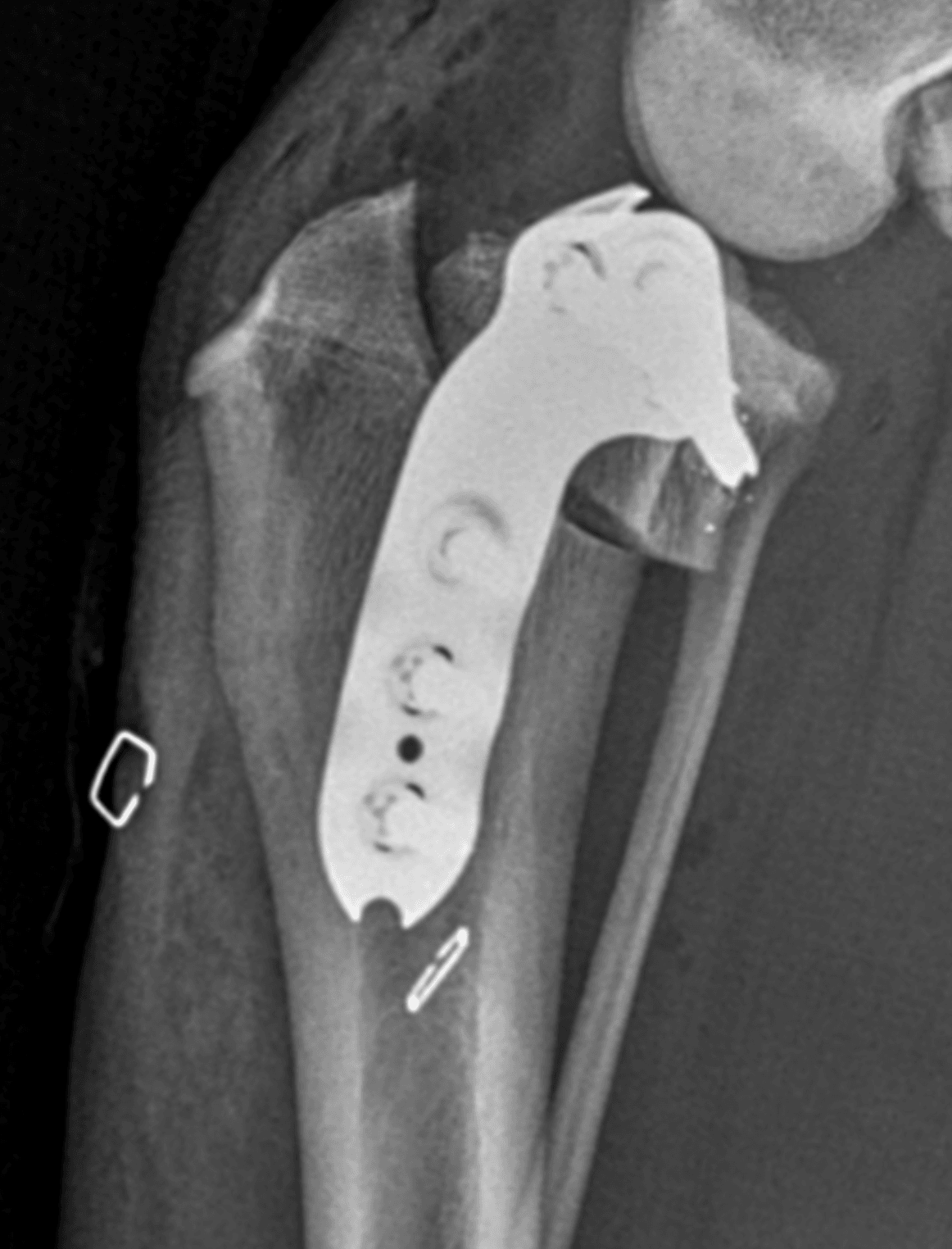
The plan you build in osAlign carries straight into the operating room
The osAlign pre-operative TPLO plan with landmarks, calculated TPA, planned osteotomy, and an aligned plate on a lateral stifle radiograph
Before: the osAlign plan
Post-operative radiograph showing the TPLO plate and screws fixed to the tibia after surgery
After: the post-op radiograph

Ready to Transform Your TPLO Planning?

Join veterinary surgeons who are already saving time and improving outcomes with osAlign